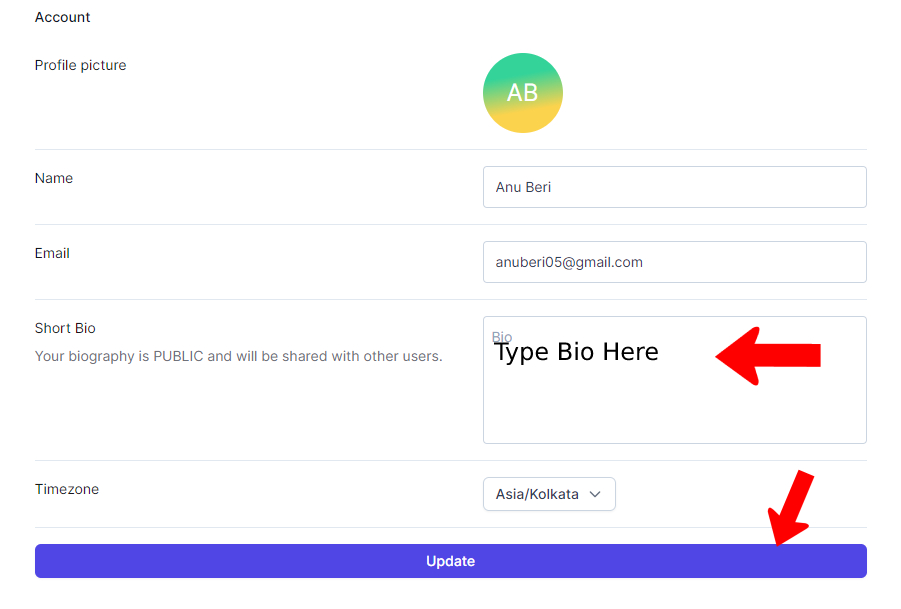
You control what profile information displays in the courses you’re participating in. You can change your “Short Bio” at any time.
1. Navigate to app.beingbrainiac.com
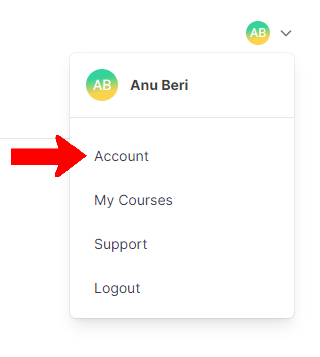
2. Click on your initials or photo at the top of the account page, and then on “Account
3. Add or edit the “Short Bio” field.
4. Click “Update,” and you’re done!